
Upgrading to an aftermarket radio is one of the best ways to improve your in-car entertainment experience, but many drivers hesitate for one reason: they don’t want to lose their steering wheel controls. The good news is that with the right components and professional installation, you can keep those convenient buttons working just as they did from the factory.
Why Steering Wheel Controls Matter
Steering wheel controls make driving safer and more convenient. They allow you to adjust volume, change tracks, or answer calls without taking your hands off the wheel or your eyes off the road. In modern vehicles, these buttons often control multiple systems, including Bluetooth calls, voice assistants, and even navigation prompts. Losing that integration can make a new stereo feel less connected to the car.
What Happens When You Replace a Factory Radio

Factory radios are designed to communicate seamlessly with the vehicle’s control network. In most newer models, that connection happens through a system known as the CAN bus (Controller Area Network). When you press a button on the steering wheel, the car sends a digital signal to the radio, telling it exactly what to do.
Aftermarket radios, however, don’t speak that same “language.” Once the factory unit is removed, those steering wheel signals no longer reach the new radio in a way it can understand. Without an interface, your controls simply stop working. Fortunately, there are solutions designed specifically to bridge that gap.
Interface Modules That Preserve Steering Wheel Control
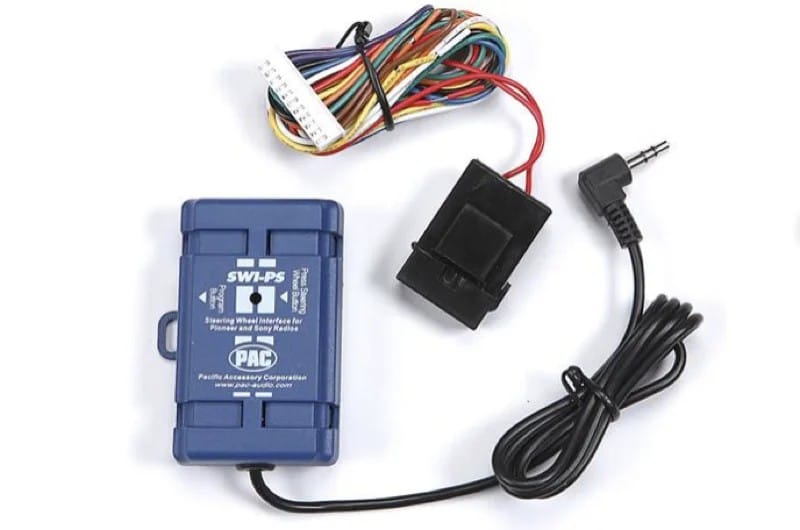
Steering wheel control interfaces are compact modules that translate the signals from your vehicle’s network into commands that an aftermarket radio can recognize. Once connected and programmed, they allow your volume, track, and phone buttons to continue functioning normally.
Products such as the Axxess ASWC-1, iDatalink Maestro SW, and PAC SWI series are widely used in the industry. While each system differs in setup and compatibility, they all serve the same purpose—maintaining the functionality you expect from your steering wheel.
Choosing the Right Interface for Your Vehicle
The correct interface depends on your vehicle’s control design and the brand of aftermarket radio being installed.
Older cars often use resistive-based controls, which rely on varying voltage levels when each button is pressed. Many newer vehicles, however, use CAN bus or LIN bus digital communication systems that send coded messages instead of voltage changes. Some luxury or late-model vehicles even use multiplexed circuits that combine multiple control systems into a single data stream.
Because of this complexity, compatibility lists are essential. Many interface manufacturers maintain up-to-date databases showing which modules work with specific vehicles and head units. A professional installer can confirm compatibility, handle programming, and ensure every button performs correctly.
Advanced Integration Through Data Interfaces
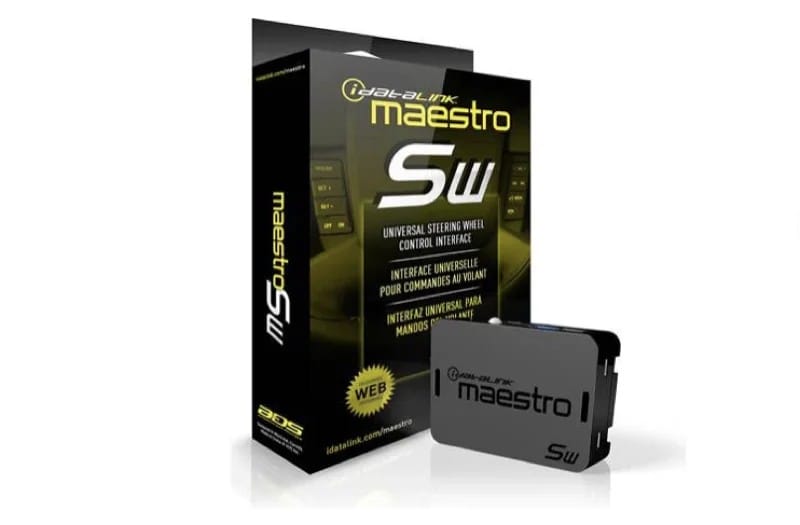
Some modern integration modules go far beyond basic steering wheel control. The iDatalink Maestro RR, for instance, doesn’t just restore your buttons, it can also display vehicle information such as tire pressure, engine performance data, and door status directly on compatible aftermarket radios.
These systems often support factory amplifier retention, backup cameras, warning chimes, and even OEM screen displays. In other words, they help preserve the entire factory experience while giving you the benefits of advanced audio features like Apple CarPlay, Android Auto, or high-resolution playback.
Maintaining Vehicle Integrity and Electrical Reliability
Properly integrating steering wheel controls is about more than convenience. It’s also about protecting the vehicle’s electronic systems. Modern cars use complex data networks where a single incorrect connection can cause communication errors or warning lights.
High-quality steering wheel control interfaces isolate and translate these signals safely, preserving the integrity of the factory wiring and preventing voltage spikes or data conflicts. Cutting corners or attempting to wire the controls directly to the radio can damage modules or interfere with other systems like climate control or airbags.
Professional Installation Ensures Correct Functionality
While some universal modules can technically be programmed by enthusiasts, achieving seamless, reliable performance requires professional tools and experience. Expert installers use vehicle-specific data, proper programming software, and diagnostic scanners to verify signal flow.
They also ensure the module’s firmware is updated, which is critical for newer vehicle models or head units. After installation, professionals can test each button, customize long-press actions, and confirm that all connected systems, such as Bluetooth and voice control, operate correctly.
A properly installed system won’t just restore functionality; it will feel and respond exactly like it did from the factory.
Final Thoughts: Seamless Control and Factory Feel
Keeping your steering wheel controls after upgrading your radio is entirely possible. The right interface module, combined with professional installation, ensures you maintain the same convenient and safe operation you’ve always enjoyed while unlocking all the benefits of a modern aftermarket system.
If you’re considering an upgrade, visit a qualified mobile enhancement retailer near you. They can recommend the right interface for your vehicle and make sure everything works perfectly from day one.
Drop by a reputable mobile enhancement retailer near you to explore upgrade options for your car or truck. You can find some great shops using our Dealer Locator.
This article is written and produced by the team at www.BestCarAudio.com. Reproduction or use of any kind is prohibited without the express written permission of 1sixty8 media.


Leave a Reply